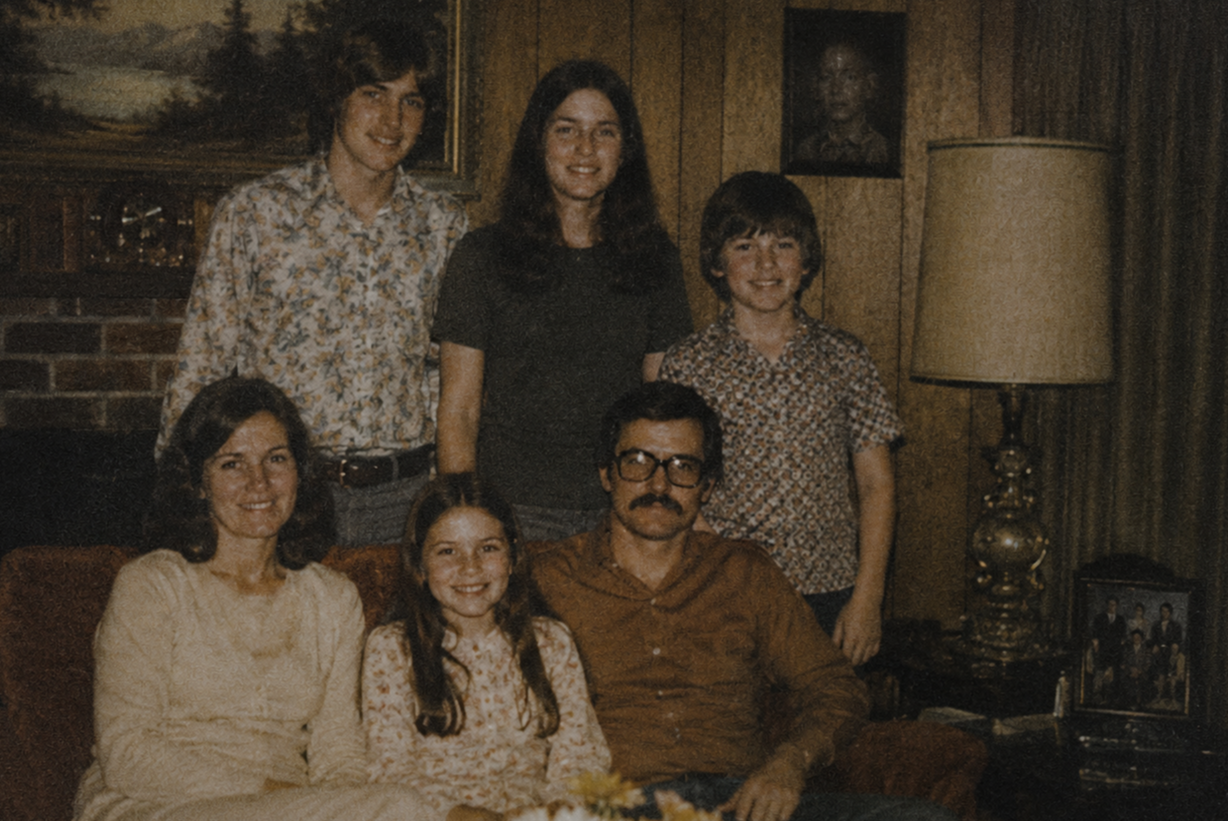
“Create a 1970s grainy family photo, but put very subtle unsettled details that'll take very long to detect.”
In 2026, anyone can make a convincing "old family photo" in seconds. A grandmother who never stood on that porch. A wedding that never happened. A faded snapshot from a decade nobody in the family lived through.
This is not a niche problem. At Google I/O in May 2026, Sundar Pichai said Google's SynthID system alone had watermarked more than 100 billion AI-generated images and videos (GB News). That is one company's tools. Synthetic images are now part of the background of everyday life, including the family history corner of the internet. The technology is impressive. It also creates a problem most families have not thought about yet: when anything can be generated, how do you prove what was real?
The answer is sitting in shoeboxes, albums, and envelopes of negatives in homes across not just Connecticut but the nation. Your family's original photographs, and the story of where they came from, are becoming some of the most valuable evidence you own.
What changed in 2026: the tech industry started labeling AI images
This year, the biggest names in AI admitted that people need help telling real images from generated ones.
Google, May 19, 2026. Google brought its SynthID checker into everyday products. You can now ask Google Lens, AI Mode, or Circle to Search whether an image was made with AI, with Chrome support following. Google says the checker had already been used about 50 million times in the Gemini app (9to5Google).
OpenAI, May 19, 2026. OpenAI began adding Content Credentials and Google's SynthID watermark to images made in ChatGPT and its API. It also previewed a free public tool that checks whether an image came from its systems (OpenAI).
C2PA, July 2026. The Coalition for Content Provenance and Authenticity (C2PA), the group behind the Content Credentials standard, published new guidance. One paper covers using Content Credentials to mark both synthetic and non-synthetic media. Another helps organizations adopt the standard (C2PA resources).
European Union, August 2, 2026. The transparency rules in Article 50 of the EU AI Act took effect. Companies that make AI image tools must mark what their systems generate in a machine-readable way, with a deadline of December 2, 2026 for tools already on the market. The rules are not retroactive: AI content made before August 2026 does not have to be labeled (Cooley).
What are Content Credentials? Think of them as a tamper-evident label attached to a digital file. They record how the file was created and whether it was changed along the way. You can check a file yourself with the free Content Credentials inspect tool.
There is a catch. OpenAI states plainly that "no detection method is foolproof." Labels can be stripped when a file is screenshotted, resized, or re-uploaded. And a missing label does not prove a photo is real. These tools can tell you something was generated. They cannot tell you that your great-grandparents actually stood in front of that farmhouse in 1938.
Why an original photograph is evidence an AI image can never be
A generated image has no past. It was not developed in a lab, mailed back in an envelope, or tucked into an album in 1962. It has no physical body and no chain of custody.
An original family photograph carries layers of proof that no AI can fake after the fact:
The physical object. Paper stock, the photo lab's back-printing, the date stamp along the border, the way the print curled and faded.
The negative. For film photos, the negative is the closest thing to the moment the shutter clicked. A print can be copied. A matching negative is much harder to argue with.
The album order. Photos placed together on a page show what the family itself connected: who was at the wedding, which trip came next, which baby belonged to which year.
The handwriting. "Aunt Rose, Hartford, summer '54" on the back is a primary source written by someone who was there.
The family story. Who took the picture, who kept it, and how it was passed down. Archivists call this provenance.
Together, these create a documented history. In a world full of synthetic images, that history is what separates a family record from a convincing guess.
New photos can prove themselves. Your old ones can't.
Here is something most families have not noticed: the new verification tools were built for photos taken today, not for the ones in your attic.
Some new phones now attach Content Credentials the moment a picture is taken. Google added this to photos from the Pixel 10's built-in camera app (9to5Google). A photo like that is born with a signed record saying it came from a real camera.
A print from 1965 has no such record. Neither does a Kodachrome slide from 1978 or a VHS tape from 1991. No watermark, no metadata, no digital signature. When someone asks whether that photo is real, the only answers are:
the physical original,
the negative or slide it came from,
where it sat in the album or box,
what is written on it, and
what the family knows about it.
That is the whole case for a real photograph from before the smartphone era. If those pieces are lost or separated, the photo becomes just another image on a screen, competing with millions of convincing fakes.
The hidden risk: AI "restoration" that changes your ancestors' faces
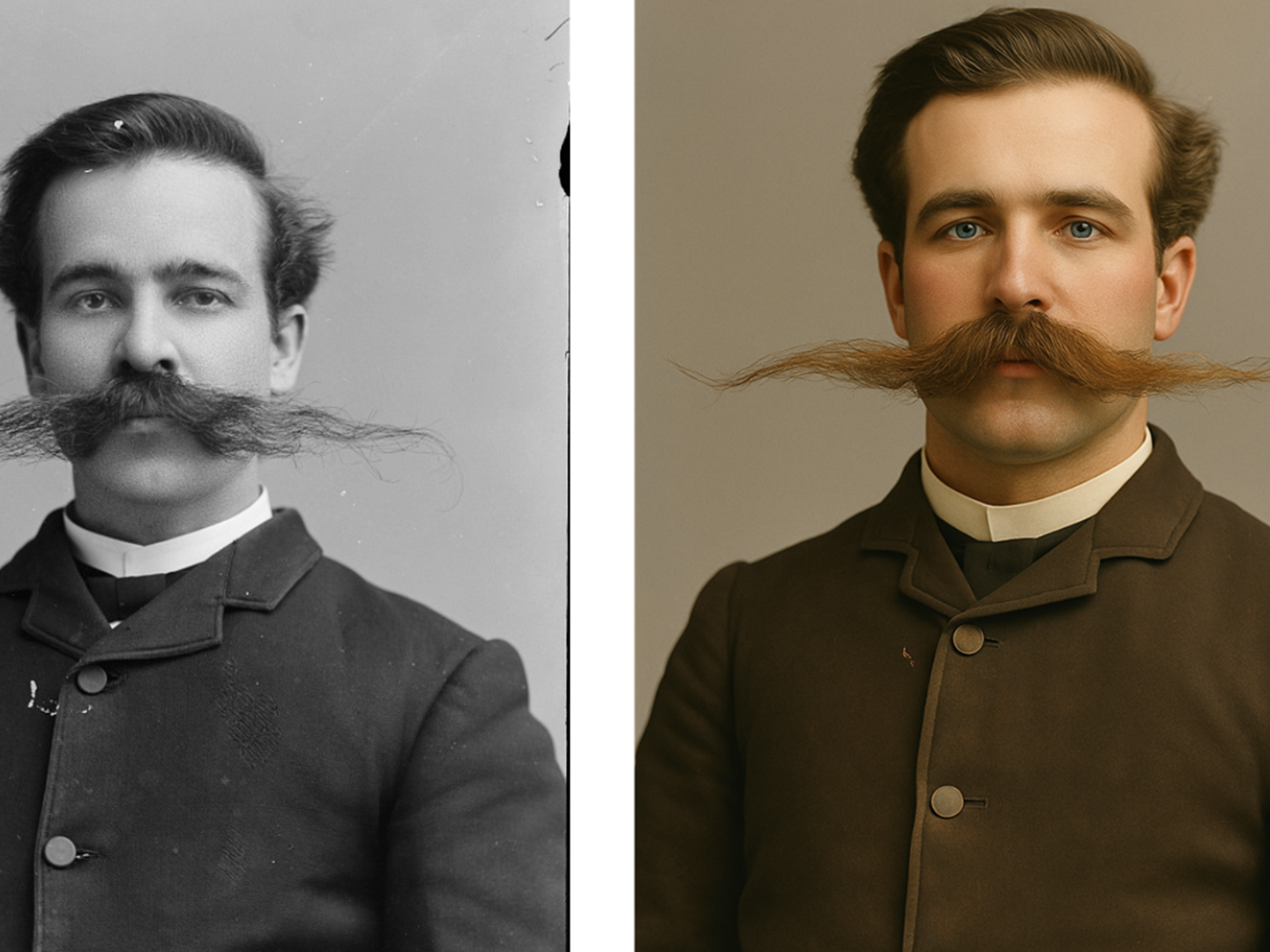
(Image credit: Library of Congress/ChatGPT-generated image)
The bigger threat to most family archives is not a stranger's deepfake. It is well-meaning relatives running old photos through AI apps to "fix" them.
AI restoration does not repair a photo the way a conservator would. It predicts what the photo probably looked like and redraws it. Sometimes that means redrawing a person.
Genealogists have documented this. In tests by the Coalition for Responsible AI in Genealogy, an AI edit of a portrait from around 1885 changed the woman's mouth and nose, distorted her ear, altered her neckline, and erased a brooch that may have mattered historically (The Quantum Record). The result looked like a better photo. It was a worse record.
The Coalition's guidance, Protecting Trust in Historical Images, recommends three rules for any AI-altered historical image:
Label it clearly and visibly as AI-modified.
Cite the original source and describe what was changed.
Use it for illustration only, never as evidence of who someone was, or when and where a photo was taken.
Now picture this, pun intended, a generation from now. A colorized, "sharpened" version of Great-Grandpa gets shared on Facebook, uploaded to a family tree site, and printed for a reunion. The original scan is lost. Within a few years, nobody knows which face is real. That is how family history gets rewritten. Not by a lie, but by a copy of a copy that was never labeled.
How archival-quality digitization protects the record
Scanning a photo on your phone makes a copy. Archival digitization makes a trustworthy record, one that carries the original's history forward instead of stripping it away.
At Digital Legacy Studios, that means:
Scanning originals, not copies. We work from the original print, slide, or negative, at resolutions that capture detail a phone camera misses.
Capturing both sides. The back of a photo, with its handwriting and lab stamps, is scanned too. It is part of the evidence.
Preserving original order. Files are organized to mirror your albums, boxes, and envelopes, so the relationships between photos are not lost.
Recording descriptive metadata. Names, places, dates, and family stories are attached to the digital files, so the context travels with the image.
Quality control and backups. Every file is checked and delivered with a backup plan, so the archive outlasts any single hard drive or cloud account.
Returning your originals. The physical photographs and negatives come back to you. They remain the ultimate source.
These practices follow the same principles cultural institutions use. The federal FADGI Technical Guidelines for Digitizing Cultural Heritage Materials set standards for scanning photographic prints and negatives. The Library of Congress also offers personal archiving guidance for families. Learn more about our photo digitization, video digitization, and museum and institutional digitization services.
AI image vs. phone scan vs. archival record
Not every digital copy of a family photo is equal. Here is what each one can, and cannot, prove.
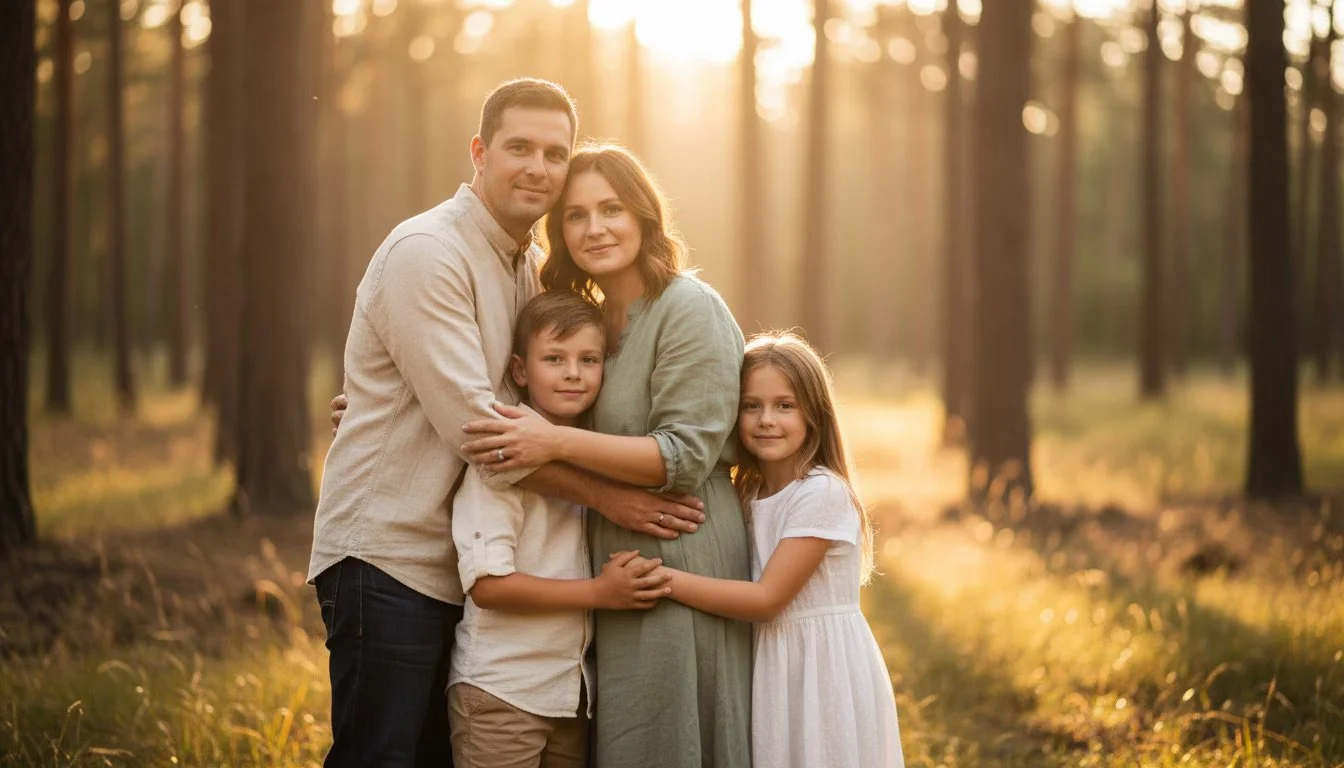
Ai Generated photo
1. An AI-generated image
Tied to a real moment: No
Physical original: None exists
Back of the photo: None
Album and box order: None
Names, dates, places: Invented or missing
Detail and color: Fabricated
Can it be checked later? Sometimes, if its AI labels survive
2. A quick phone snapshot of a print
Tied to a real moment: Yes, but nothing in the file shows it
Physical original: Often thrown out or lost after copying
Back of the photo: Usually skipped
Album and box order: Lost
Names, dates, places: Rarely recorded
Detail and color: Glare, distortion, and low resolution
Can it be checked later? Hard to trace
3. An archival scan, with the original kept
Tied to a real moment: Yes, backed by the physical original
Physical original: Returned to you and stored safely
Back of the photo: Scanned as part of the record
Album and box order: Preserved in the folder structure
Names, dates, places: Recorded as descriptive metadata
Detail and color: Captured with professional equipment and quality control
Can it be checked later? Yes, traceable back to the original item
The phone snapshot is the one families should worry about most. It feels like preservation, but it often becomes the only surviving copy, with none of the evidence that made the original trustworthy.
8 questions to ask before you hire any digitization service
Whether you work with us or someone else, these questions separate a trustworthy archive from a box of anonymous files.
Will my originals be handled on-site, or shipped to a third-party facility? Every handoff is another chance for loss or mix-ups.
Do you scan the backs of photos? If not, handwriting and lab dates disappear from the record.
Will my files be organized the way my albums and boxes are? Ask to see an example folder structure.
Do you record names, dates, and places in the files themselves? Metadata that lives inside the file travels with it.
What file formats do I get? Ask whether you receive high-quality master files for preservation as well as smaller copies for sharing.
Do you use AI on my images? Any AI enhancement should be optional, clearly labeled, and delivered alongside untouched masters.
Will my photos be used to train AI or shared with anyone? Get the answer in writing.
What happens to my originals afterward? They should come back to you, in the same order they left.
At Digital Legacy Studios, our answers are in writing. Read our client media privacy and AI use policy and our FAQs.
6 steps to protect your family's original photos this year
Find the originals. Gather prints, albums, slides, and especially negatives from every closet, attic, and relative's house.
Do not throw anything out after scanning. The physical original is your proof. Store it cool, dry, and away from basements and attics.
Leave albums intact until they are documented. Pulling photos out destroys the original order. Photograph or scan pages first.
Write down what you know now. Names, places, and dates fade with the people who remember them. Interview older relatives while you can.
Be careful with "AI restoration." Colorizing or enhancing a scan can be fun, but always keep an untouched master file and label edited versions clearly.
Keep at least two copies of your digital archive. Store them in different places, such as an external drive at home and a second copy elsewhere.
Frequently asked questions
How can I tell if a photo is AI-generated? You can ask Google Lens or Circle to Search whether an image was made with AI. OpenAI also offers a preview tool for images made with its products, and the free Content Credentials inspect tool shows any attached provenance data. No tool is perfect, and a missing label does not prove a photo is real.
What are Content Credentials (C2PA)? Content Credentials are a tamper-evident record attached to a digital file showing how it was created and edited. They are based on an open standard from the Coalition for Content Provenance and Authenticity (C2PA).
Why should I keep original photos after they are scanned? The original print or negative is physical evidence that a moment happened. A digital file can be altered or generated. The original, along with its handwriting, lab markings, and album placement, documents its own history.
Is it safe to use AI to restore or colorize old family photos? It can be, as long as you keep an untouched scan of the original and clearly label any AI-edited versions. Otherwise, future generations may not know which version is real.
Does Digital Legacy Studios use my photos to train AI? No. Digital Legacy Studios does not sell client media or use it to train AI models. See our client media privacy and AI use policy.
Can AI photo restoration change what my ancestors looked like? Yes. AI restoration redraws missing or damaged detail based on prediction, and genealogists have documented it changing noses, mouths, ears, clothing, and jewelry. Always keep an untouched scan, and label any AI-edited version clearly.
Will new AI labeling laws protect my old family photos? Not directly. Rules like Article 50 of the EU AI Act require AI companies to mark what their tools generate going forward. They do not add proof to real photos taken decades ago, and they do not apply to AI content made before August 2026. Your originals and their documented history are still the proof.
Can I tell if an old photo in my family collection is real? Start with the physical evidence: paper type, lab stamps, handwriting, the matching negative or slide, and where it sat in the album. A photo that exists only as a digital file, with no original and no family story attached, is much harder to verify.
What should I do with old negatives? Keep them. Negatives are often the closest thing to the original moment and can produce better scans than prints. Store them flat in a cool, dry place and have them digitized by a service that scans negatives directly.
Where can I get old photos professionally digitized in Connecticut? Digital Legacy Studios is a white-glove media digitization and archival studio in West Hartford, Connecticut. We serve Hartford County, greater Connecticut, and New England, and take on select projects nationwide.
Protect the original before the story is rewritten
AI will keep getting better at making images that look like the past. It will never be able to produce the past itself. Your family's photographs, negatives, albums, and handwritten notes are the record. Preserving them carefully, with their order and stories intact, ensures the next generation inherits the truth.
Digital Legacy Studios (DLS) helps families, estates, and institutions across Connecticut do exactly that. Every item is handled by hand in our West Hartford studio, and your originals always come back to you.
Schedule a consultation or read our FAQs to learn how we can help preserve your family's history.
Sources
OpenAI: Advancing content provenance, May 19, 2026
9to5Google: Google adds AI detection to Search and Chrome, May 19, 2026
FADGI Technical Guidelines for Digitizing Cultural Heritage Materials
GB News: Google expands SynthID to Search and Chrome, May 19, 2026
Cooley: EU AI Act transparency obligations take effect, August 3, 2026
The Quantum Record: Genealogists warn AI image generators threaten historical records
Coalition for Responsible AI in Genealogy: Protecting Trust in Historical Images
